
RGB Auto vs DMX512 Programmable Pixel Lights: Which Is Better for Your Ride?
- date: 2026-08-21
- category: Industry knowledge
- click:
The decision between auto-running RGB pixel lights and DMX512-programmable pixel lights is one of the most important choices in any amusement lighting project. Get it right and your installation will be cost-effective, visually impressive, and easy to maintain. Get it wrong and you will either pay for complexity you don't need or find yourself limited by a system that can't deliver the visual effects you want.
Understanding Auto RGB Pixel Lights
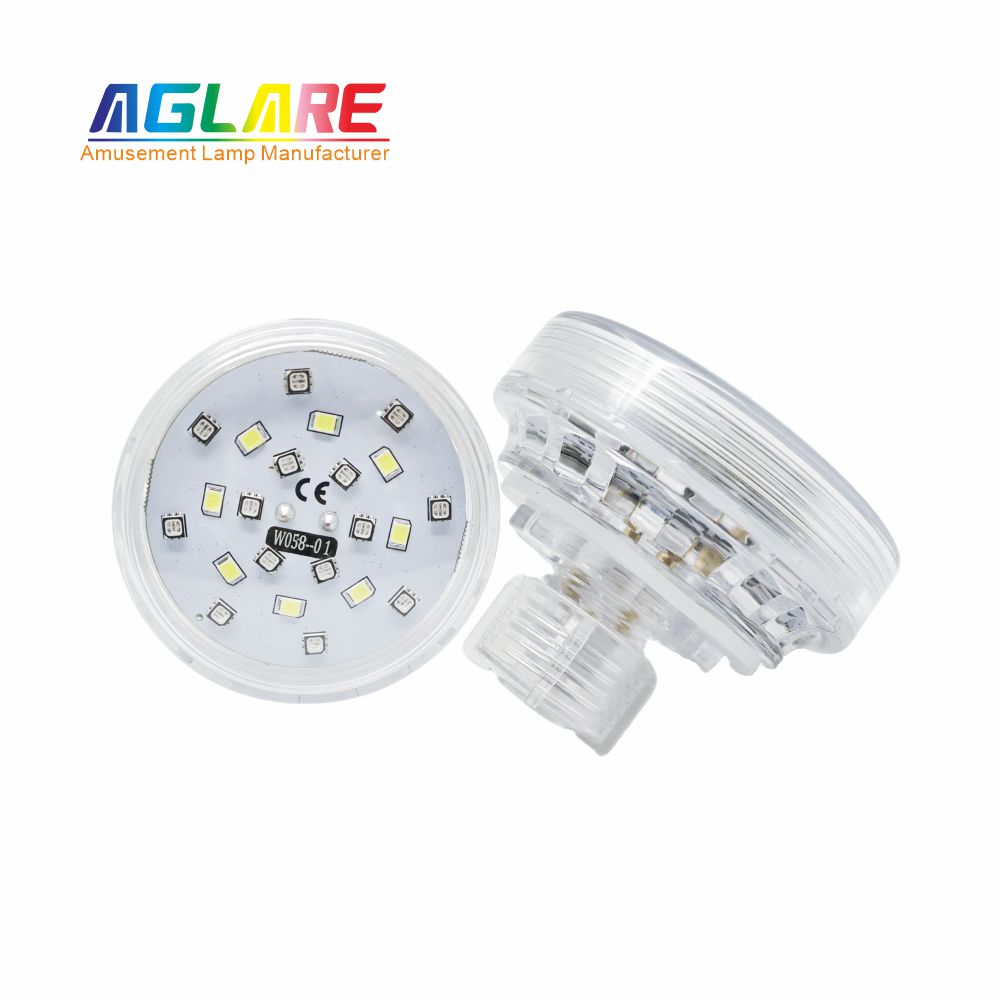
Auto-running pixel lights contain a self-contained IC chip that executes a pre-programmed color animation sequence without receiving any external control signal. Once powered, the light starts running its built-in program automatically.
How the "program numbers" work: Each auto pixel light has a program number (1–16 in current-generation products). The program number determines which of the 16 pre-set animation sequences the chip runs. Program 1 might be a fast red-to-blue cycle; program 8 might be a slow rainbow fade; program 16 might be a white strobe — the specific sequences vary by manufacturer.
Creating chasing effects with auto lights: By installing consecutive program numbers in sequence around a ride (1, 2, 3, 4... 1, 2, 3, 4... repeating), the phase offset between adjacent lights creates the visual impression of color flowing around the structure.
 |  |
Advantages of auto pixel lights:
▶ No controller required — plug in and it works
▶ No data cabling between lights
▶ Simple installation — any electrician can do it
▶ Any failed light can be replaced without programming
▶ Lower cost per fixture
▶ No single point of failure (controller breakdown won't dark the entire ride)
Limitations of auto pixel lights:
▶ Fixed program library — cannot create custom color scenes
▶ No synchronization with music, sound effects, or ride timing
▶ No ability to change the color theme without replacing bulbs
▶ All lights of the same program number always display identically — no per-fixture customization
Understanding DMX512 Pixel Lights
DMX512 (Digital Multiplex, 512 channels) is the universal standard protocol for professional entertainment lighting control. Each DMX pixel light contains a receiver that reads the DMX data stream and translates channel values into LED color and intensity output.
How DMX addressing works: Each DMX fixture has a "DMX address" — a number from 1 to 512. A DMX controller sends 512 channels of data in each frame (44 frames per second). Channel 1 might control the red value of fixture address 1; channel 2 the green; channel 3 the blue. Fixture address 2 responds to channels 4, 5, 6 — and so on.
A standard DMX universe accommodates 170 RGB fixtures (512 ÷ 3 channels). Larger installations use multiple universes managed by a more sophisticated controller.
Advantages of DMX pixel lights:
▶ Fully custom color scenes — unlimited programming possibilities
▶ Frame-accurate synchronization across all fixtures simultaneously
▶ Integration with audio systems for music-to-light effects
▶ Integration with ride cycle timing for show automation
▶ Seasonal or event color themes can be changed by reprogramming the controller, not replacing bulbs
▶ Individual fixture control — each light can display a different color at any moment
Limitations of DMX pixel lights:
▶ Higher fixture cost (DMX receiver circuitry adds cost)
▶ Requires a DMX controller ($200–$5,000+ depending on capability)
▶ Requires DMX data cabling between fixtures
▶ More complex installation
▶ Controller failure can dark the entire installation (mitigated by having a spare controller)
▶ Requires operator training or a lighting programmer
Head-to-Head Comparison
| Factor | Auto RGB Pixel | DMX512 Pixel |
| Cost per fixture | $1.50-$3.00 | $3.00-$6.00 |
| Controller cost | $0 | $200-$5,000+ |
| Installation complexity | Low | Moderate to High |
Visual flexibility | Fixed programs | Unlimited |
| Synchronization capability | Limited (phase offset) | Frame-accurate |
| Music-to-light integration | No | Yes |
| Custom color themes | No (requires bulb change) | Yes (software reprogramming) |
| Maintenance complexity | Low | Moderate |
| Recommended for | Touring rides, retrofits, simple permanent | Fixed venues, show rides, large park |
Hybrid Approach: Auto + DMX on the Same Ride
For many mid-scale installations, a hybrid approach gives the best outcome:
▶ Install auto pixel lights on the main body of the ride (the dense cabochon array on ride panels and structural members). These handle the primary chasing effect with zero system complexity.
▶ Install DMX pixel lights at key accent positions (crown, corners, key structural features). These are controlled by a simple DMX controller to create show-quality synchronized effects at the most visually prominent positions.
▶ The DMX controller runs a simple looping show program that requires no operator attention during normal operation.
This approach captures 80% of the DMX visual quality at 40% of the full DMX installation cost.
Decision Framework: Which Should You Choose?
Choose Auto if:
▶ The ride is touring (different venues each week — no permanent DMX infrastructure)
▶ Budget constraints make the DMX controller cost prohibitive
▶ Your operators are not trained in DMX programming
▶ The ride is a simple single attraction without show integration requirements
▶ You need a replacement-in-field solution with no programming complexity
Choose DMX if:
▶ The ride is permanently installed in a fixed venue (park, indoor entertainment center)
▶ You require synchronization with a sound system or ride cycle
▶ You want to change color themes seasonally (no physical bulb changes)
▶ The installation is part of a larger show environment with other DMX equipment
▶ Visual differentiation from competitors is a priority