

Custom Shape LED Display: How to Design Non-Standard LED Screens
- date: 2026-08-26
- category: Industry Knowledge
- click:
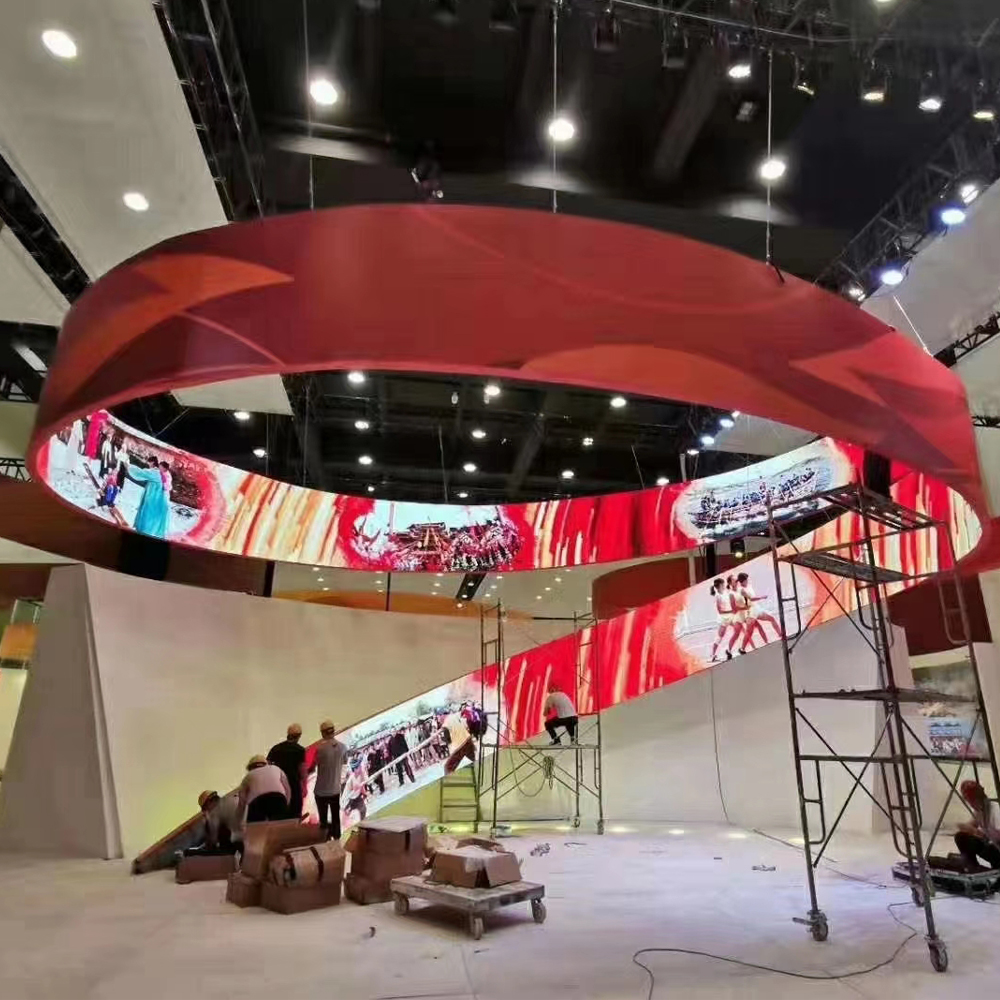
The rectangular flat panel is the default form factor for LED displays — but it is not the only option. Curved, cylindrical, circular, triangular, L-shaped, and even freeform LED displays are technically feasible and are increasingly used in architecture, retail, and entertainment environments where visual differentiation is a competitive advantage. Here is what you need to know about designing and specifying custom-shape LED displays.
|  |
Why Go Non-Standard?
Architectural integration: When the LED display is part of a building's architectural expression — a circular atrium screen, a concave fascia, or a wrapped column — a standard rectangle simply does not fit the architecture.
Brand differentiation: In a retail environment saturated with rectangular digital signage, a curved LED wall or a circular display creates immediate visual differentiation.
Immersive experience: Cylindrical or curved displays partially surround the viewer, creating an immersive visual experience impossible with a flat panel.
Structural constraints: Sometimes the installation space dictates a non-standard shape (a triangular display in a corner, or an L-shape around a structural column).
The Key Technical Parameters for Custom Shapes
1. Cabinet Flexibility vs. Module Flexibility
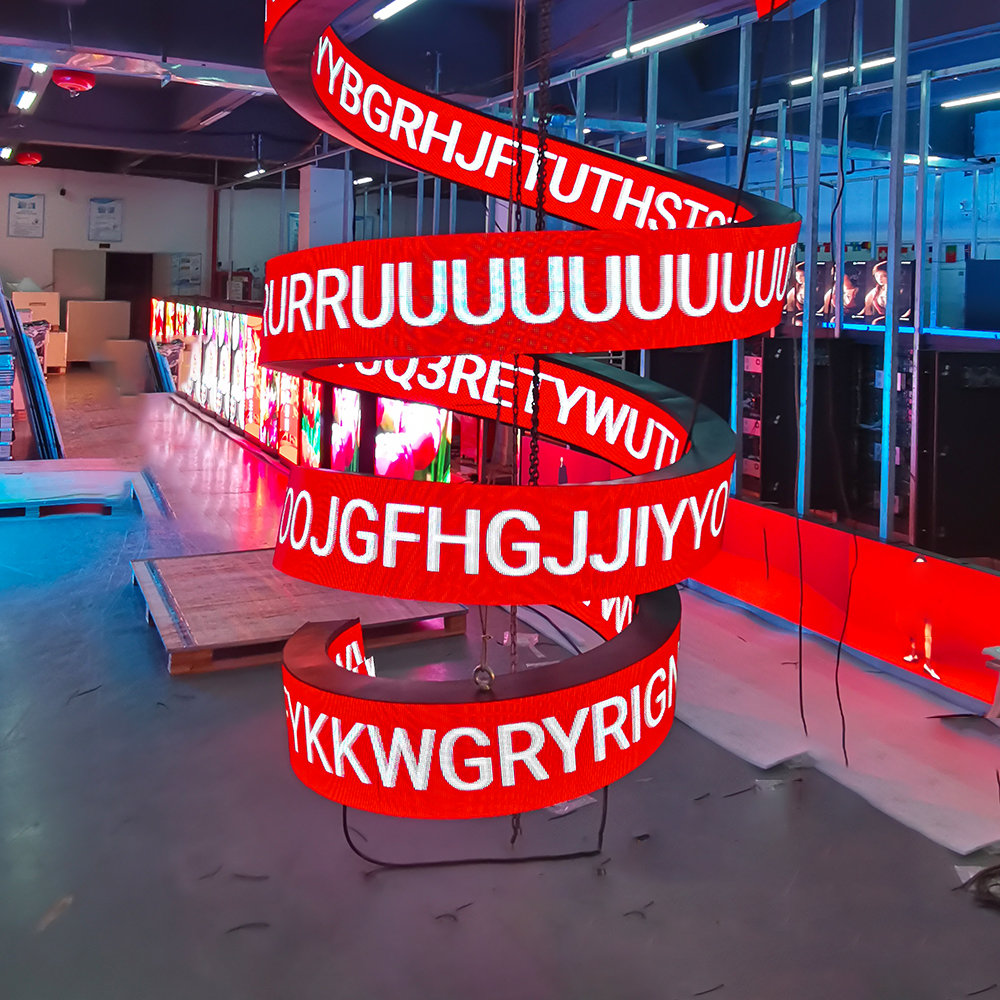
Module-level flexibility: Some fine-pitch indoor modules use flexible PCBs that can be bent to a radius as tight as 0.5m. These allow freeform curved surfaces.
Cabinet-level flexibility: Standard rigid cabinets can be cut or shaped at the edges to create non-rectangular perimeter shapes. The modules inside are still flat (no curvature).
Curved rigid cabinets: Specially manufactured curved cabinet frames support flat modules mounted on a curved surface. Practical minimum radius: approximately 1m for outer curves, 0.5m for inner curves (concave).
2. Gap Management at Perimeter
For non-rectangular shapes, the LED modules at the perimeter of the display do not fill the full module area. The "remainder" pixels must be either:
▶ Switched off (non-illuminated) — simple but leaves gaps
▶ Masked by the cabinet structure — clean but requires custom metalwork
▶ Trimmed to the shape in software (display content only fills the shape)
The content management system must be able to map custom pixel geometries to output the correct content for non-rectangular shapes.
3. Structural Engineering
Custom-shape LED displays often require custom structural engineering:
▶ Curved surfaces create complex load paths
▶ Asymmetric shapes require careful weight balancing
▶ Large curved or freeform surfaces need custom steel subframes
▶ Rigging requirements for touring/temporary custom-shape displays are more complex than standard rectangular screens
4. Content Production
Content must be produced specifically for the non-standard pixel dimensions and aspect ratio of the custom display. Standard video templates (16:9, 4:3) do not fit non-rectangular LED displays.
Specify this requirement to your creative/content production team before the display is manufactured — last-minute realization that content needs to be redesigned is a common and expensive project management failure.
Common Custom Shape Applications and Solutions
| Shape | Technical Approach | Typical Application |
Curved flat (gentle curve) | Standard modules on curved cabinet frame | Curved retail walls, stage backdrops |
| Cylinder | Flexible modules or curved vertical strips | Column wraps, circular display kiosks |
| Circle | Rectangular modules with circular masking | Logo display, circular info screen |
| L-shape or U-shape | Standard cabinets arranged in L/U configuration | Corner installations, stage surrounds |
| Triangle | Rectangular cabinets cut at 45° at perimeter | Corner display, architectural feature |
| Irregular/freeform | Flexible modules or standard modules with custom masking | Art installations, bespoke brand experiences |
How to Brief a Custom LED Display Manufacturer
1.When requesting a custom-shape display, provide:
2.Scale drawing of the display shape with all dimensions
3.Pixel pitch required (determines module type)
4.Viewing distance (minimum and typical)
5.Installation environment (indoor/outdoor; IP requirement)
6.Structural support available (wall, ceiling, freestanding; load capacity)
7.Content system (media player, PC, video processor specification)